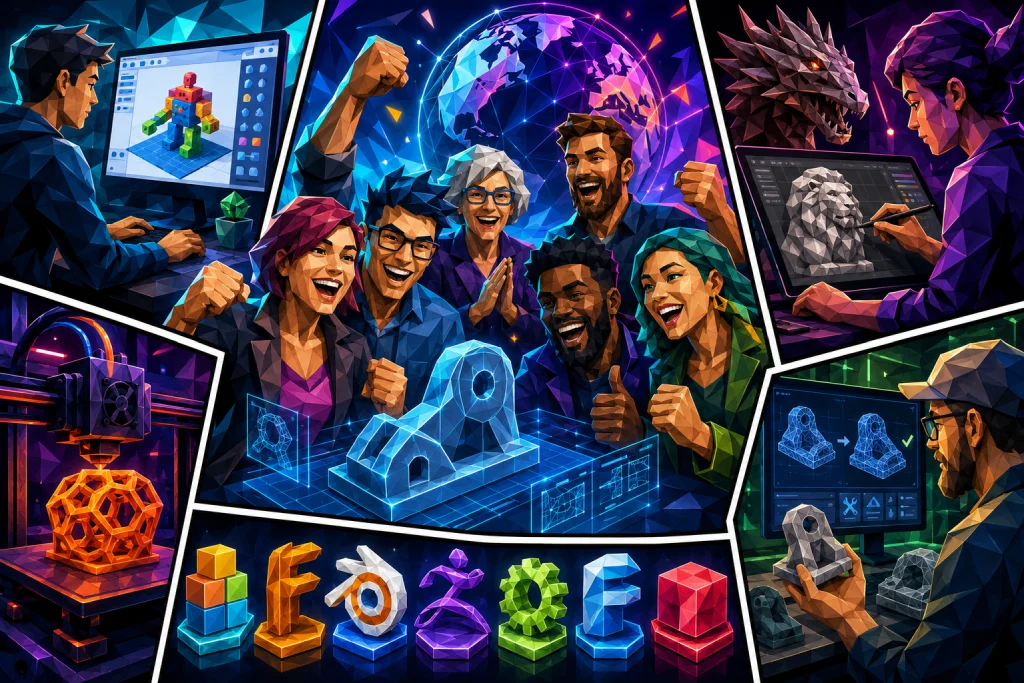
Choosing the right software is a critical decision when working with 3D design.
Whether you are a beginner, a dedicated hobbyist, or an experienced professional, the right tool will make it much easier to turn your ideas into reality. From simple keychains and small objects to complex sculptures and functional mechanical parts – each type of project requires the right solution.
This guide gives you a comprehensive overview of the best software options and tools for 3D design. It caters to all levels and focuses on both user-friendly platforms and advanced modeling programs so you can make an informed decision. If you already have a design ready, you can quickly and easily upload it to 3dprintingprice.in and get a price for your print. Alternatively, you can find the best prices on 3D printers, filaments, and accessories directly on the platform.
Beginner’s tools: Easy software for 3D design
When you start your journey in 3D design, it is important to choose software that is easy to use and requires minimal setup. Tinkercad is an ideal choice for beginners. This free, browser-based software requires no installation and makes it possible to quickly get started with simple projects. Tinkercad is suitable for designing keychains, small toy models, and practical spare parts for the home.
From Tinkercad to Fusion 360: How to take your 3D design to the next level
“Tinkercad is amazing for designing basic things like keychains, toys, or little replacement parts around the house.” This software is perfect for learning basic 3D modeling without being overwhelmed by complex tools.
Once you have gained skills in using Tinkercad, it is time to explore more advanced options. Fusion 360 is a natural next platform for those who want to take their designs to the next level. Fusion 360 offers parametric modeling, a feature that allows you to change dimensions in your design without having to start over.
The strength of Fusion 360: “I designed a custom drawer organizer for my tools, and all I had to do was just adjust a few numbers, and the whole design updated automatically.” This flexibility makes Fusion 360 a fantastic tool for designing functional objects like drawer organizers or mechanical parts with precision and ease.
With both platforms, beginners can gradually develop their skills and confidence in 3D design. When your models are ready for print, you can easily upload them at 3dprintingprice.in to get a price and realize your ideas.
Advanced solutions for professional designers
Once you have mastered the basics of 3D design and want to lift your projects to a higher level, it is necessary to use advanced tools that can handle complex and detailed tasks. Blender is a powerful open-source software that especially caters to artistic models like sculptures, miniatures, and creative projects with organic shapes. Although Blender has a steep learning curve, it offers unlimited possibilities for creative and artistic designs. A user mentions: “Blender is perfect for making artistic models like sculptures or miniatures or cool things like this.” This emphasizes its versatility as a tool for professional designers with the time and commitment to learn it thoroughly.
For designers working with precision work and functional designs, Fusion 360 remains one of the best solutions. Its parametric design function makes it possible to make changes in real time, saving time and improving accuracy. “I wanted to tweak just this little dimension, and all I had to do was just adjust a few numbers, and the whole design updated automatically.” Fusion 360 is therefore a strong tool for engineers and designers who require precision and efficiency in their workflow.
For designers and artists who need the highest level of detail and texturing, ZBrush is the obvious choice. It is often described as the “gold standard” in digital sculpting and is especially popular among those who create collectibles or highly detailed designs: “ZBrush is a gold standard if you’re into collectibles or like high detail designs.” Although ZBrush is not free, it provides advanced tools and in-depth functionality that make it a valuable investment for professional users.
By choosing the right software, professional designers can achieve higher precision, save time, and achieve impressive results. When your advanced designs are ready, you can easily upload them to 3dprintingprice.in to get a price and realize them in physical form.
Open source and code-based solutions
For those seeking budget-friendly and flexible solutions, open source software is an obvious choice. These tools allow for both precision design and a high degree of customization, thanks to strong communities that develop and maintain them.
FreeCAD is one of the most versatile open source platforms on the market. It is ideal for complex projects and precision design, where functions such as sketching and 3D modeling can be expanded with community-developed plugins. This flexibility makes FreeCAD an excellent choice for designers who want to tailor their tools to specific needs without paying for expensive licenses.
For those who prefer a more technical approach, OpenSCAD offers a completely unique experience. This software stands out by being code-based, which means models are created using commands. This approach is ideal for users who value precision and automation. “The coolest part was being able to tweak dimensions with just a few changes to the code.” This makes OpenSCAD a powerful tool for technicians and programmers who have experience with scripting and want full control over their designs.
However, OpenSCAD requires a certain amount of technical insight and patience to master, making it less suitable for beginners. But for those who have the time and desire to learn it, it opens up a world of precision and flexibility that traditional modeling tools rarely offer.
With both FreeCAD and OpenSCAD, users can achieve impressive results without requiring a large investment. Once your open source-based models are ready, you can easily upload them to 3dprintingprice.in to get a price and see your designs realized in physical form.
Tools for repair and optimization of files
When working with STL files, you often encounter the need to fix errors or optimize the design before it can be printed. For this, Meshmixer is the ideal tool. Meshmixer, developed by Autodesk, is a free software described as a “Swiss army knife” within 3D modeling. This versatile platform allows you to fix errors, improve design quality, and prepare files for 3D print in an efficient way.
One of the most useful features in Meshmixer is its ability to repair damaged STL files. For example, it can automatically close holes, fix geometry, and ensure that your model is fully printable. Beyond repair, Meshmixer is also excellent for combining different models. “I once smashed up a phone stand and a pen holder to create like a desk organizer together.” This illustrates how the tool allows users to create unique designs by mixing and adapting existing models.
Meshmixer also supports a range of other functions, such as adding support structures, smoothing surfaces, and changing proportions, making it a comprehensive solution for those who want to optimize their 3D models. Although the software is free, it offers features that compete with paid alternatives and is therefore indispensable for both hobbyists and professionals.
When your STL files are optimized and ready, you can upload them directly to 3dprintingprice.in to get a price for your 3D print. This way, you ensure that your project is realized without complications and with the best result.
Free vs paid software – what should you choose
The choice between free and paid software depends primarily on what you need and how much you are willing to invest. Free solutions like Tinkercad, Blender, and FreeCAD are excellent for beginners and those who want to experiment without costs. These programs offer many features to help you get started, but their capabilities may be limited when it comes to more advanced projects.
Tinkercad, as mentioned earlier, is ideal for quick, simple projects like keychains and small spare parts, while Blender offers powerful tools for artistic models like sculptures and miniatures. FreeCAD, on the other hand, is a good choice for technical and precision-oriented projects, especially for those who want an open source solution.
When working with more complex designs or seeking features like parametric modeling and advanced texturing, paid solutions like Fusion 360 and ZBrush often become necessary. Fusion 360 is particularly popular among engineers and designers working with functional parts, thanks to its real-time adjustments and professional capabilities: “Fusion 360 gives you complete control while saving you the time.”
ZBrush is another strong choice for those focusing on detailed sculptures and figures. With the industry’s best tools for texturing and shaping, it is often the preferred program among professionals. Although the price can be high, the value for those working with detailed designs is unsurpassed.
If you are not sure which software best fits your needs, it is recommended to start with a free solution. This allows you to experiment and develop your skills before investing in more advanced programs. When your projects become more complex, you can easily upgrade to a paid version and get access to the features that can take your design to the next level.
Once your projects are finished, you can upload them to 3dprintingprice.in and get a price for print. Regardless of which tool you choose, the next step is to bring your ideas to life with a professional 3D print.
How to get started with your 3D design
The first step toward realizing your ideas in 3D design is to choose a software that matches your needs and your experience level. For beginners, it is recommended to start with a simple program like Tinkercad. This browser-based software requires no installation and is perfect for small, simple projects like keychains or spare parts. It makes it possible to learn the basic principles without feeling overwhelmed.
Once you have mastered the basic skills, you can take the next step toward more advanced programs like Fusion 360 or ZBrush. Fusion 360 is ideal for functional designs where precision and parametric modeling are necessary. On the other hand, ZBrush is suitable for artistic projects requiring a high level of detail and advanced texturing.
When your models are finished, it is time to bring them to life. At 3dprintingprice.in, you can easily upload your files and get a price for your 3D print. The platform also offers a wide selection of 3D printers, filaments, and accessories, making it a complete solution for all your needs within 3D print.
Whether you are working on your first project or are ready for complex designs, the process is simple: choose a suitable software, create your models, and upload them to 3dprintingprice.in to get them realized. With the right tools and resources, you can quickly get started and see your ideas become reality.
How do I get started with 3D design as a beginner?
Start with a user-friendly program like Tinkercad. It is free, browser-based, and requires no installation. Here you can design simple objects like keychains and small spare parts and learn the basic principles of 3D modeling.
What is the difference between free and paid 3D design software?
Free programs like Tinkercad, Blender, and FreeCAD are ideal for beginners and experiments. Paid solutions like Fusion 360 and ZBrush offer advanced features like parametric modeling and detailing, making them ideal for professionals and complex projects.
Which program is best for functional designs?
Fusion 360 is the best choice for functional designs like tools and mechanical parts. Its parametric modeling function allows you to make precise adjustments in real time, saving time and improving accuracy.
Which software is best for artistic projects?
Blender and ZBrush are ideal for artistic models like sculptures and figures. Blender is free and open source, while ZBrush, which is paid, offers the best tools for texturing and detail. Both programs, however, require a fair amount of time to master.
How can I repair and optimize STL files?
Meshmixer is the best tool for repair and optimization of STL files. It is free and allows you to fix errors, combine models, and prepare them for print. Meshmixer works as a versatile solution for your 3D print projects.
Where can I have my 3D design printed?
Upload your finished model to 3dprintingprice.in to get a price for print. The platform also offers 3D printers, filaments, and accessories, so you have everything you need for your project.
Find the right tool and bring your ideas to life
Whether you are brand new to 3D design or an experienced professional, there are tools that match your needs and ambitions. Tinkercad is the ideal choice for beginners who want to start with simple projects like keychains or small spare parts. When you are ready for more advanced designs, Fusion 360 offers exceptional features for precision and parametric modeling, while ZBrush is indispensable for artistic and detailed projects like sculptures and figures.
By choosing the right software, you can work more efficiently, achieve higher precision, and turn your ideas into reality. When you have finished your design, you can upload it to 3dprintingprice.in to get a price for your 3D print. The platform also gives you the opportunity to find the best deals on 3D printers, filaments, and accessories.
Your ideas deserve the best treatment, and with the right tools and resources, you can create impressive results. Visit 3dprintingprice.in today and take the next step toward bringing your designs to life.